

Govalo | Status Customer Accounts - Govalo Support Center
Govalo | Status Customer Accounts
This integration is currently in Beta
Our integration with Status Customer Accounts lets your customers quickly view all their available Store Credit in one place.
Note: this requires Customer Accounts to be toggled on within Govalo. To take advantage of this, please follow this guide:
https://support.govalo.com/article/200-assigning-store-credit-to-a-customer
Once you have Status Customer Accounts installed and you also have Customer Accounts toggled on within Govalo, the next step is:
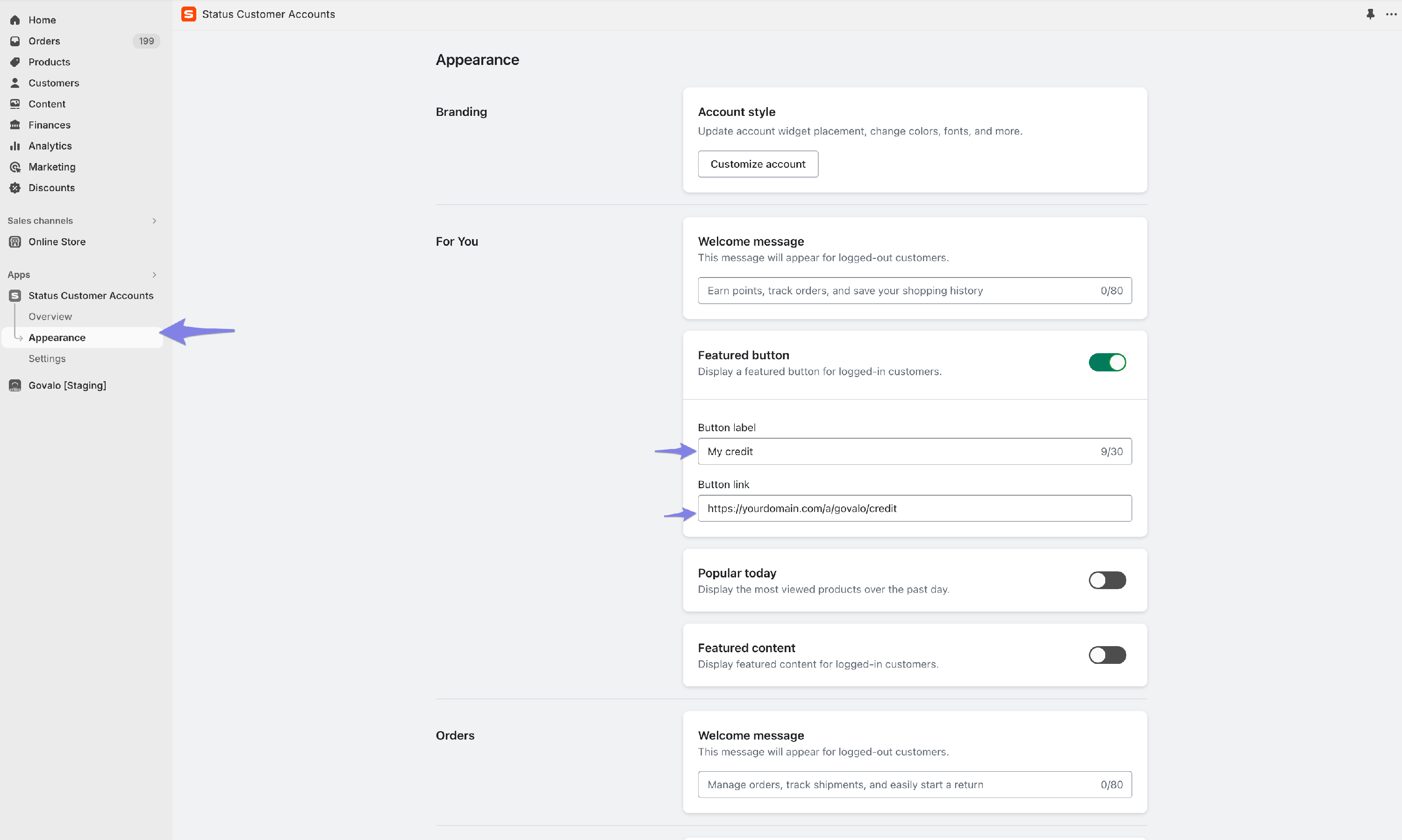
- Navigate to Status Customer Accounts and open the "Appearance" section
Add a featured button, including a label for the button, and the following URL
https://yourdomain.com/a/govalo/credit
*Please note that you must change "yourdomain.com" to your domain for this to function correctly.
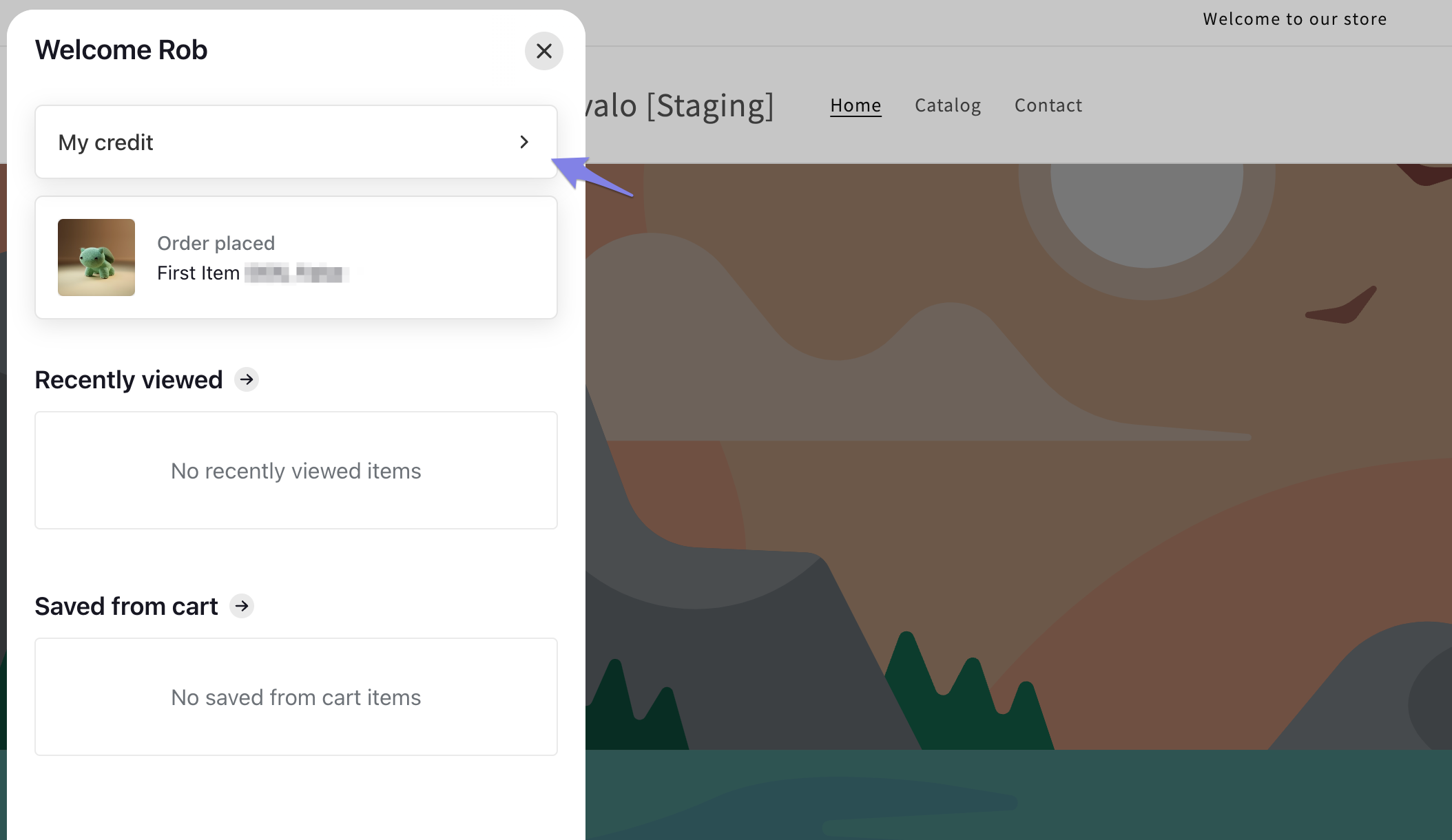
When a customer is logged in through Status Customer Accounts, they will see this button, leading to their available credit.
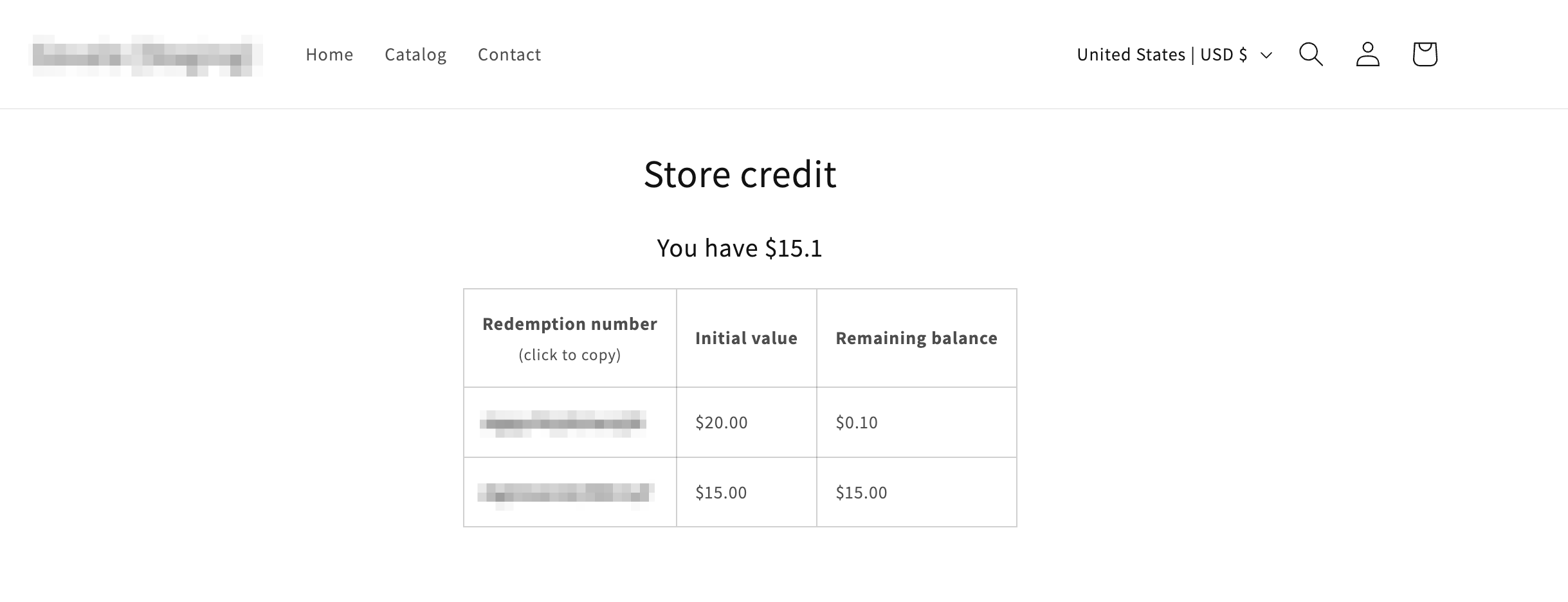
This Store Credit page can be styled using CSS within your base theme files.
Classes:
.gvlo-outer(all elements exist inside a div with this class).card-number
IDs:
#gvlo-credit-table#gvlo-credit-heading#gvlo-credit-sum-heading#toast-container#toast