Assigning Store Credit to a Customer - Govalo Support Center
Assigning Store Credit to a Customer
Govalo allows you to issue Store Credit directly to a Shopify Customer account from within the Admin. This allows the credit to be tied to that specific customer account, which can be used to integrate with Apps such as Status Customer Accounts.
This functionality is currently behind a feature flag and can be toggled on for any merchant by reaching out to our support team at [email protected]
Once this has been toggled on:
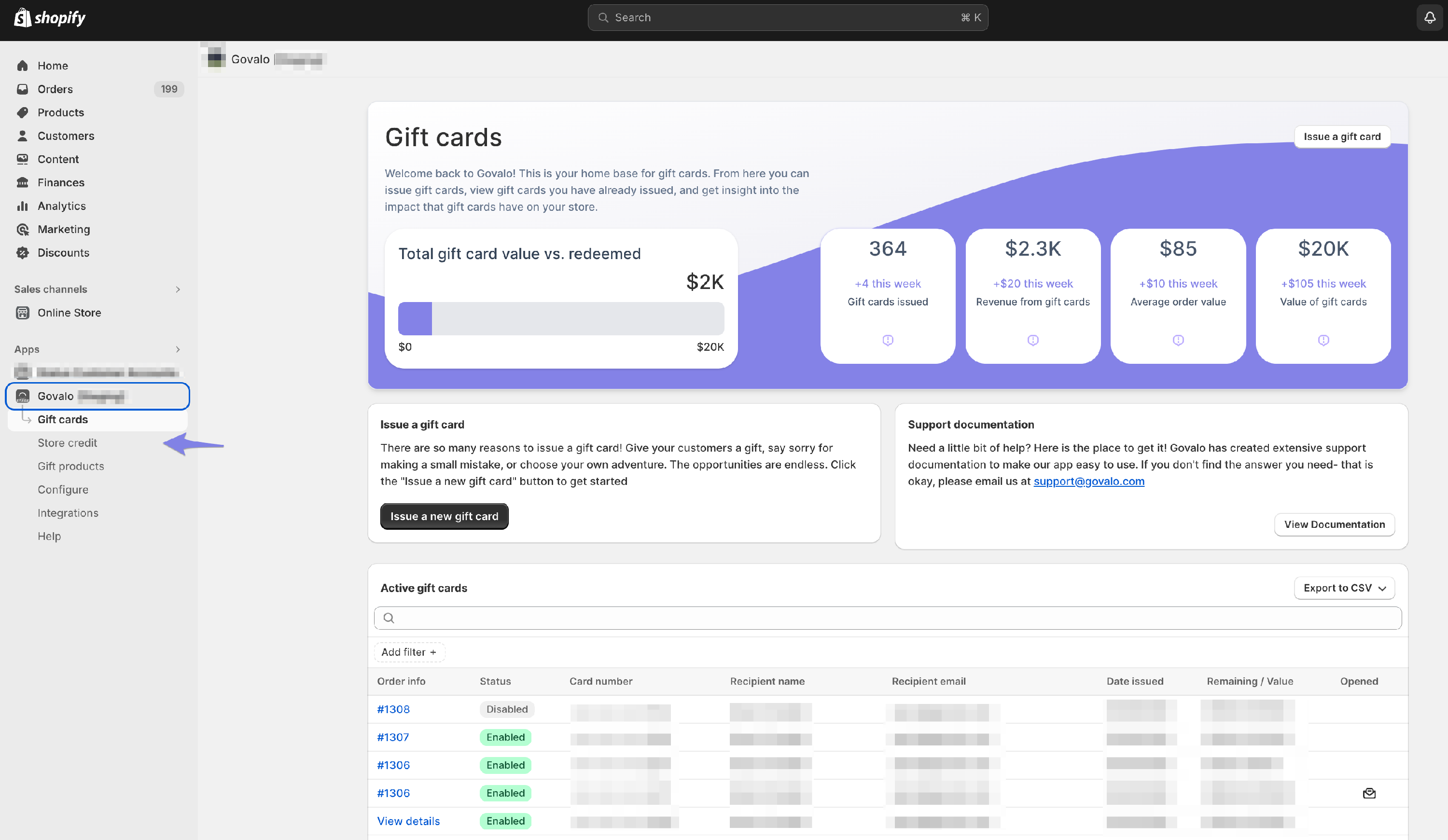
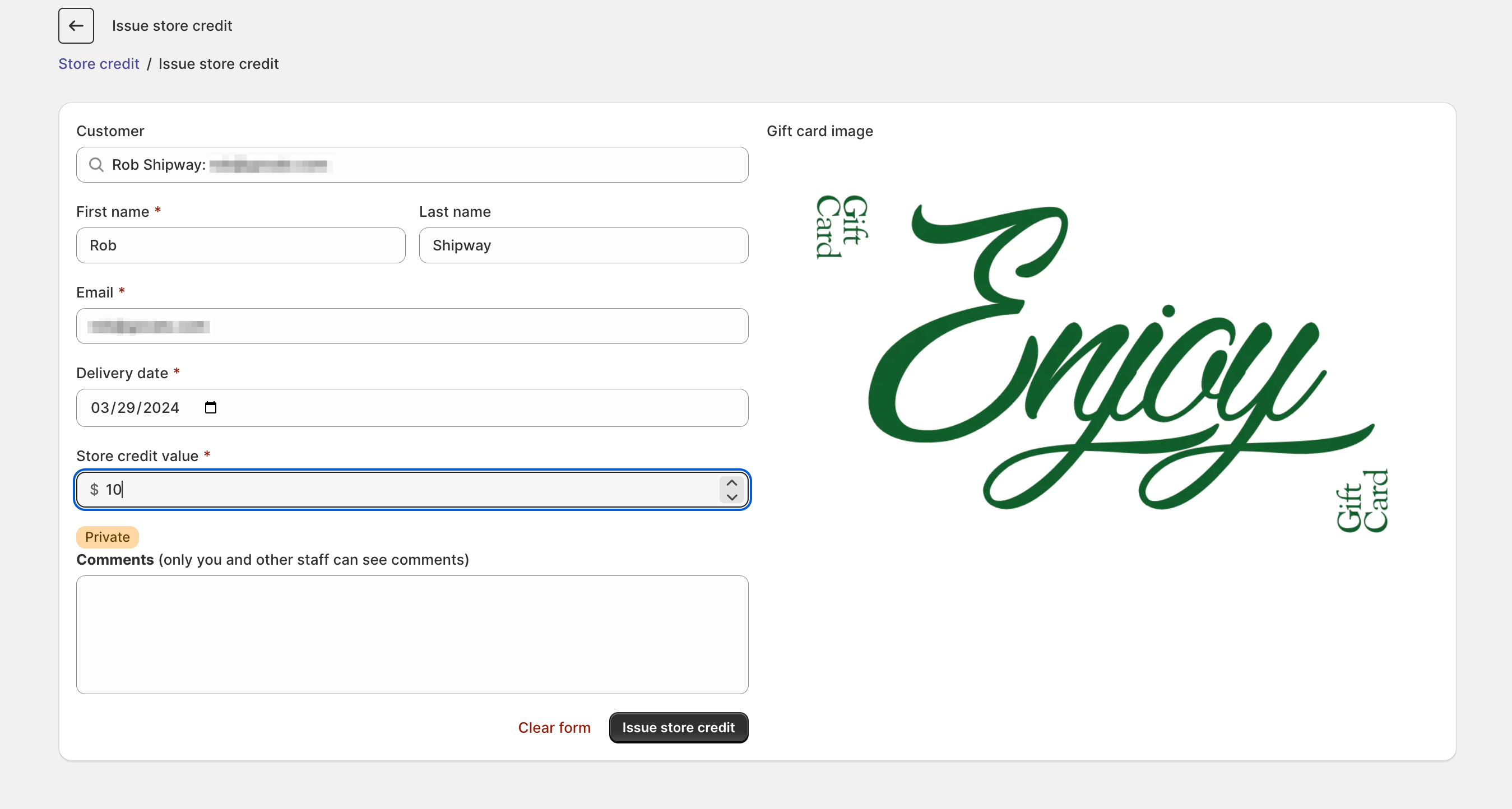
Navigate to the Store Credit section of Govalo
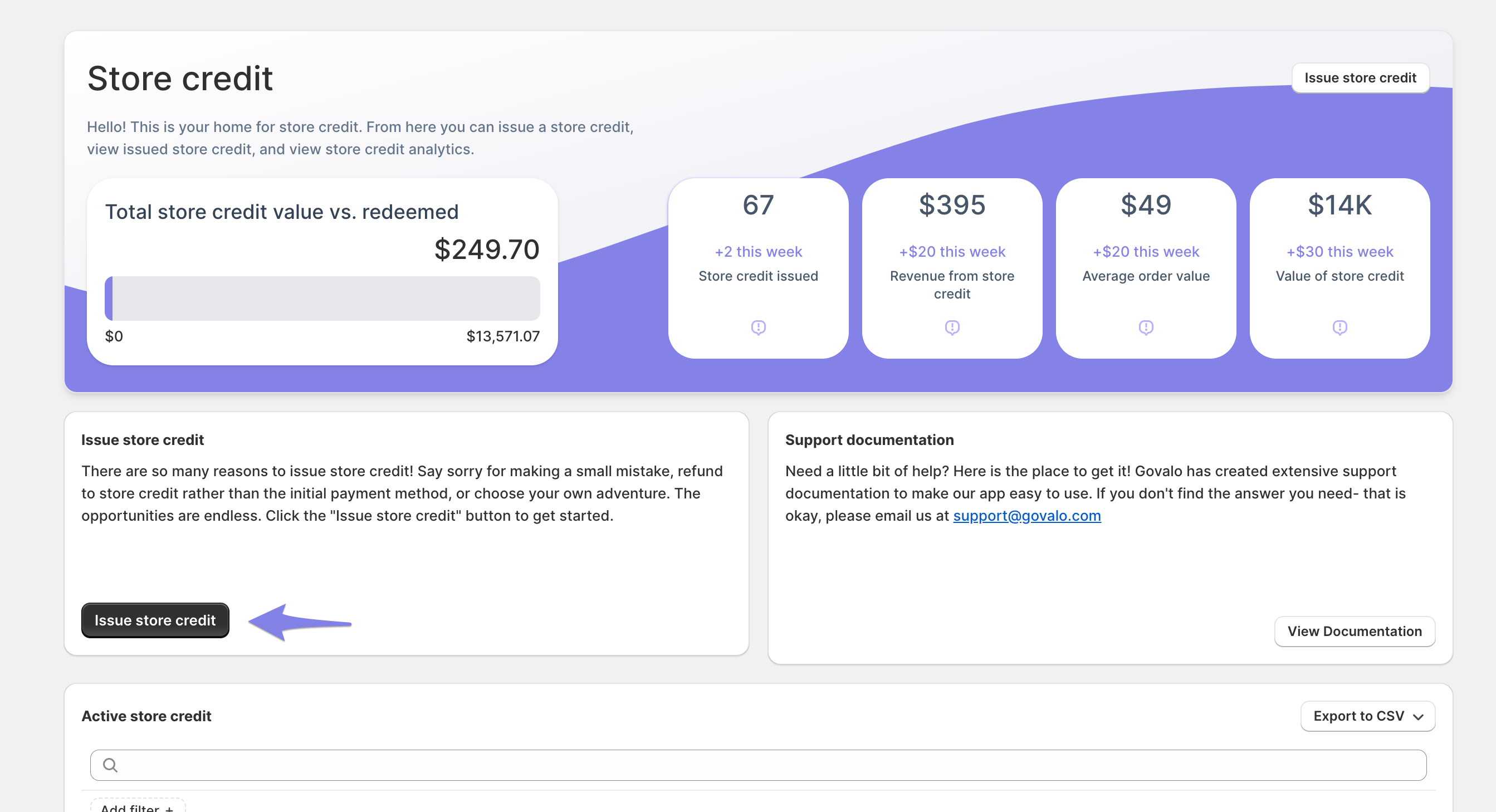
Select "Issue Store Credit"
Use the "Customer" field to search for an existing customer which will populate all of the necessary fields
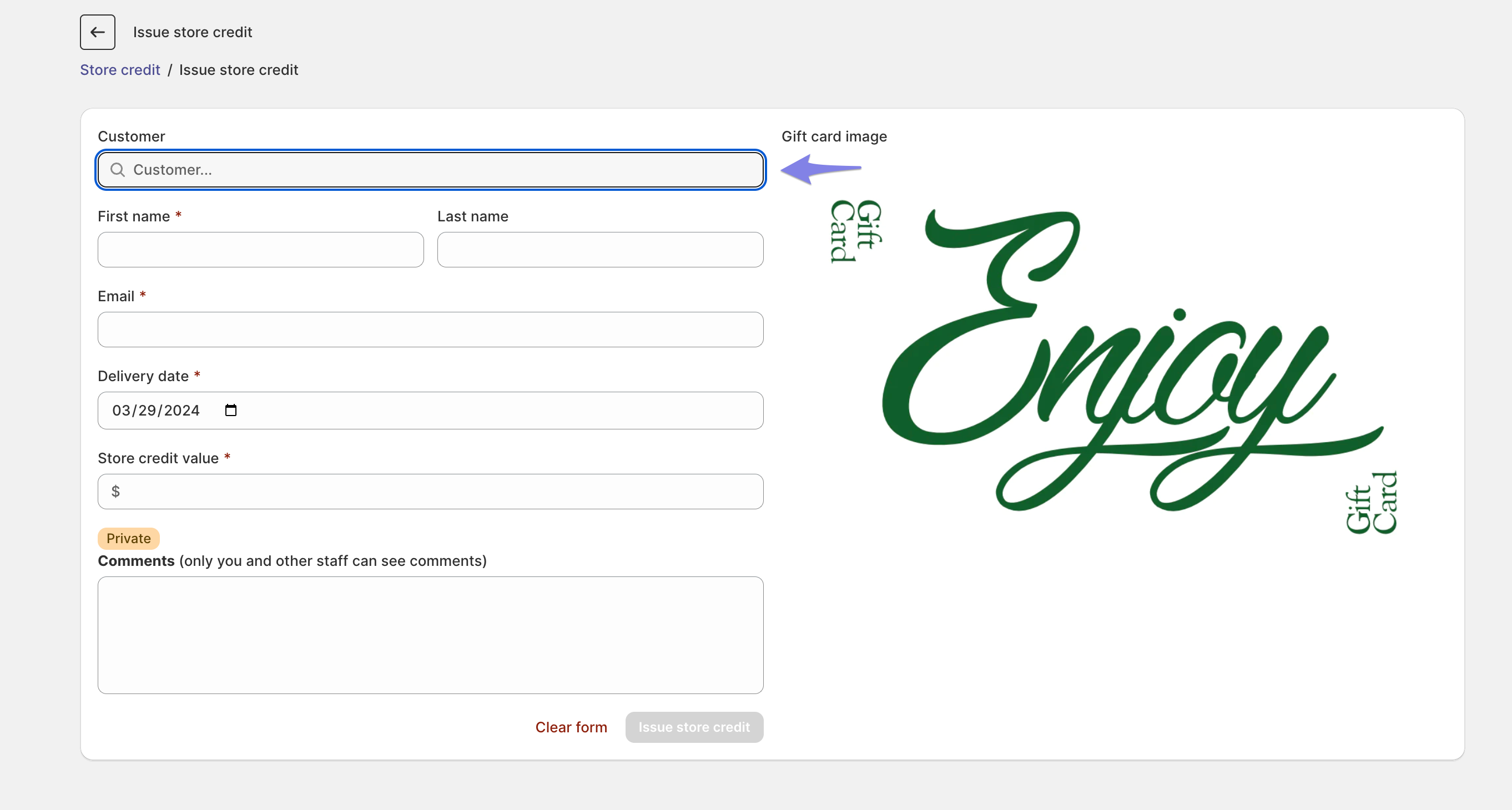
4. Lastly add a value to the card and click "Issue Store Credit"
Note: When you issue store credit to a customer account, Shopify will send out a gift card notification email. There is currently no way to stop this notification from going to the customer. Instructions on how to edit this template to fit the brand and voice of your business can be found here:
https://help.shopify.com/en/manual/orders/notifications/edit-template
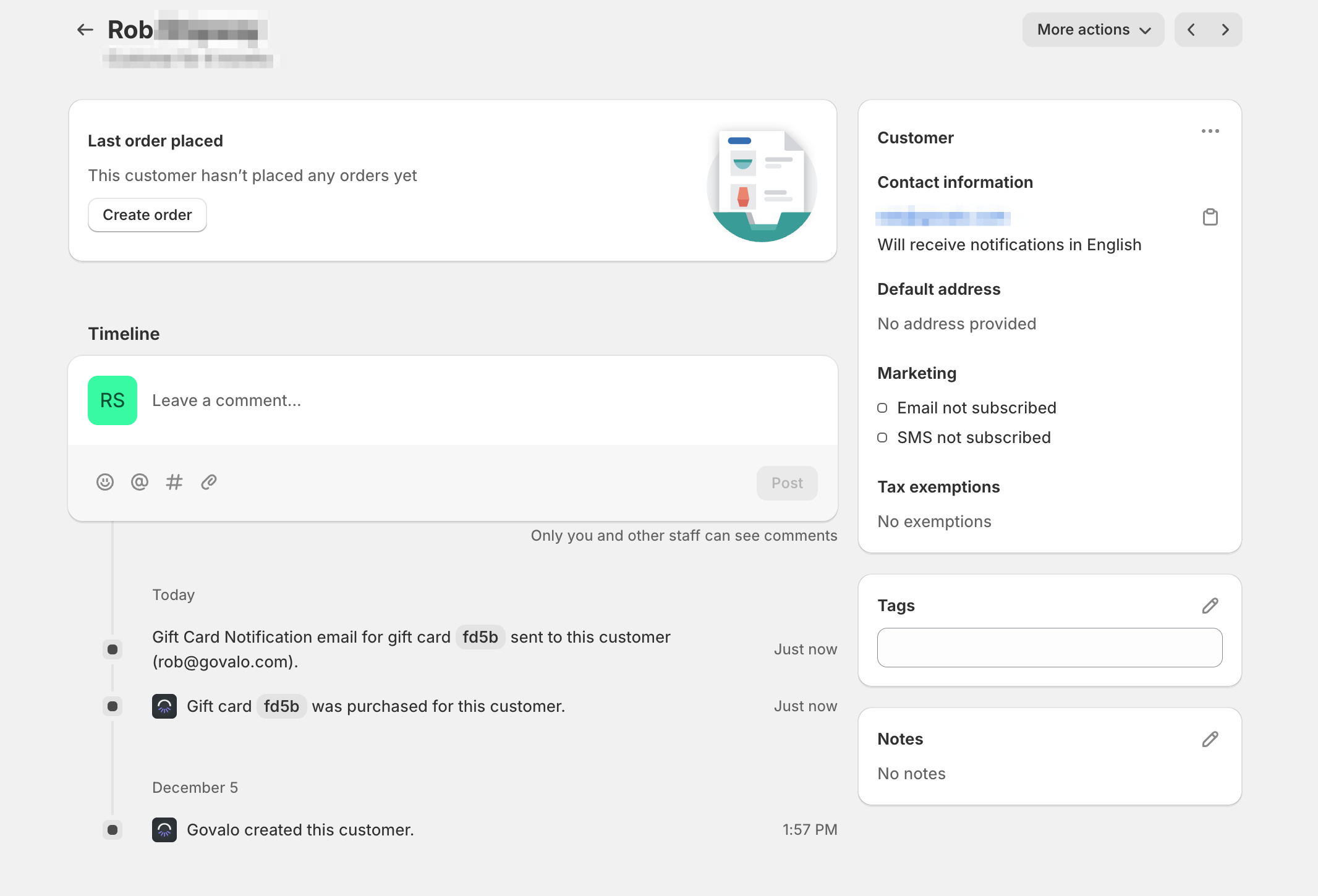
Store Credit issued via Govalo using this feature will also show up within the customer profile inside of Shopify.