Enabling the Theme App Extension - Govalo Support Center
Enabling the Theme App Extension
When you install Govalo or create a new theme on Shopify, it's necessary to enable our Theme App Extension for the integration with our app to work.
Here's how you can do it:
On the Shopify Admin, go to Online Store > Themes.
Click Customize on the theme in which you need to enable it (usually the active theme):

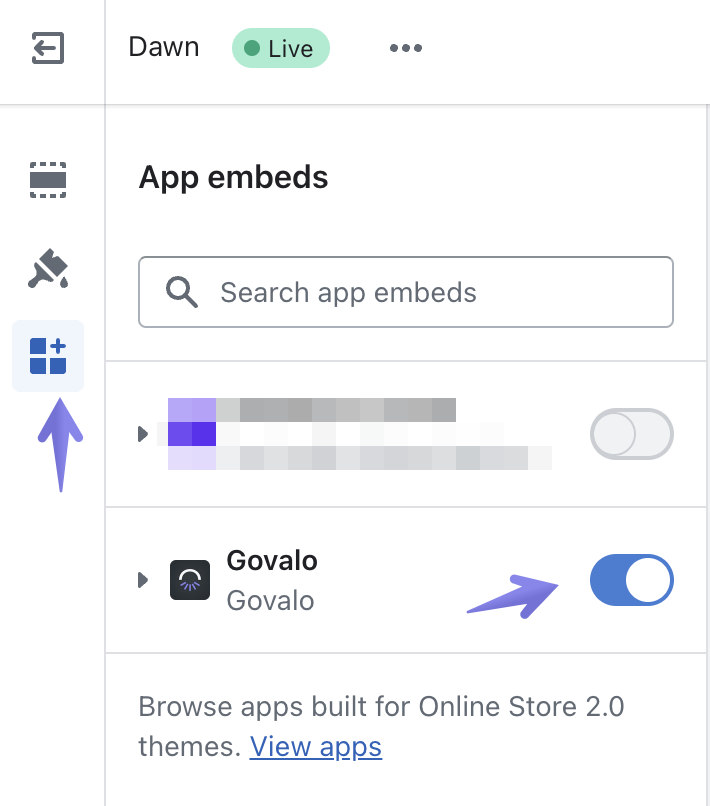
Navigate into App embeds, toggle Govalo on, then Save your settings: